
Studio Promo CD (Exc
79.99USD

Package Description
Watch Video Preview:
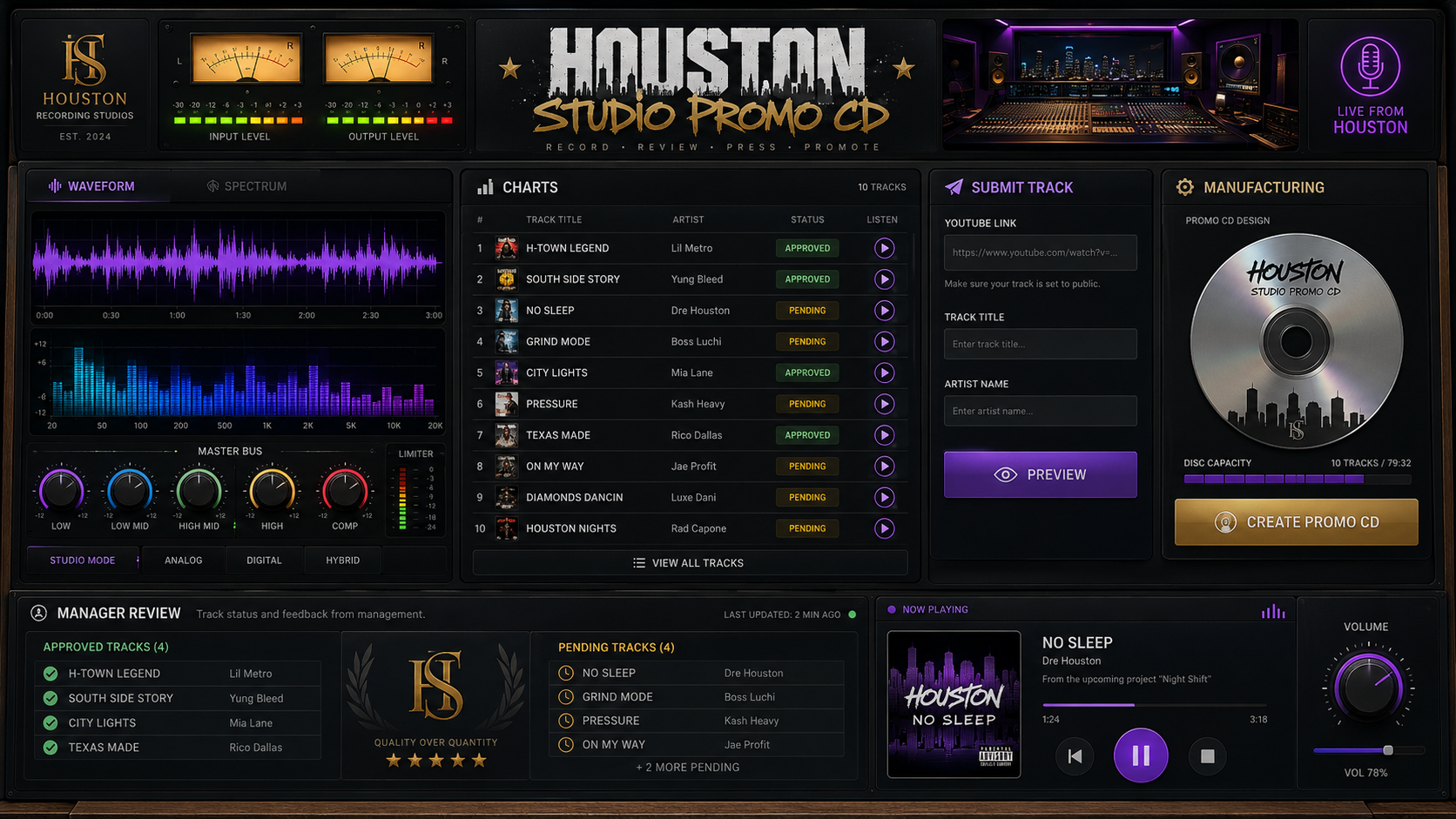
Studio Promo CD lets artists and record labels submit music, get tracks approved by Music Managers, and create custom playable promo CDs in-game. Each CD stores the artist name, song title, and track length, and plays synchronized audio for nearby players with volume controls. Includes City Charts, song previews, manager approvals, a custom NUI, ox_inventory support, and compatibility with ESX, QB-Core, and QBox.
Features:
-
Music Submission NUI
Artists, A&Rs, or record labels can submit YouTube music links through a custom in-game menu. -
Song Preview Button
Players can preview a song before sending it in for approval. -
Manager Approval System
Admins or Music Managers can approve or reject submitted songs. -
City Charts
Approved songs appear on the public charts for players to browse and listen to. -
Create Promo CD's
Artists can turn approved songs into playable CD inventory items. -
CD Metadata
Each CD saves the artist name, song title, song length, and CD info. -
ox_inventory Item Support
The CD appears as a real inventory item with a custom icon and hover details. -
Playable CD System
Players drag the CD to use it, and the song starts playing. -
Nearby Music Audio
When a CD plays, nearby players can hear the music too. -
Synced Playback
Everyone nearby hears the same part of the song instead of it restarting for each player. -
Bottom-Right Music Player
A small custom player shows the CD, artist name, song title, length, and volume. -
Volume Control
Players can adjust how loud the cd music plays. -
ESC Hide Option
Players can press ESC to hide the player while the music keeps playing. -
Use Again to Stop
Dragging the same cd again stops the song. -
Job-Locked Access
You can lock submission or manager menus to specific jobs like artist, A&R, or music manager. -
Marker Location Access
Players can walk up to configured locations and press E to open the music lab. -
Command Toggle Config
Commands can be turned on or off in the config. -
Universal Framework Support
Works with ESX, QB-Core, and QBox. -
SQL Saving
Songs, approvals, charts, and cd data save to the database. -
Custom Config Options
Change jobs, permissions, commands, markers, distance, volume, and access settings.
Modules
You can configure the sidebar of your webstore by going to Webstore > Sidebar.
Top Customer
No recent top purchaser to display.
Recent Payments
-

ONE-DREAM
-

rolliedabrat
-

Terrence_Cookson
-

iayze1
-

kinglowki