
Subwoofer Exclusive
109.99USD
Package Description
Watch Preview Tutorial video: Video Preview!
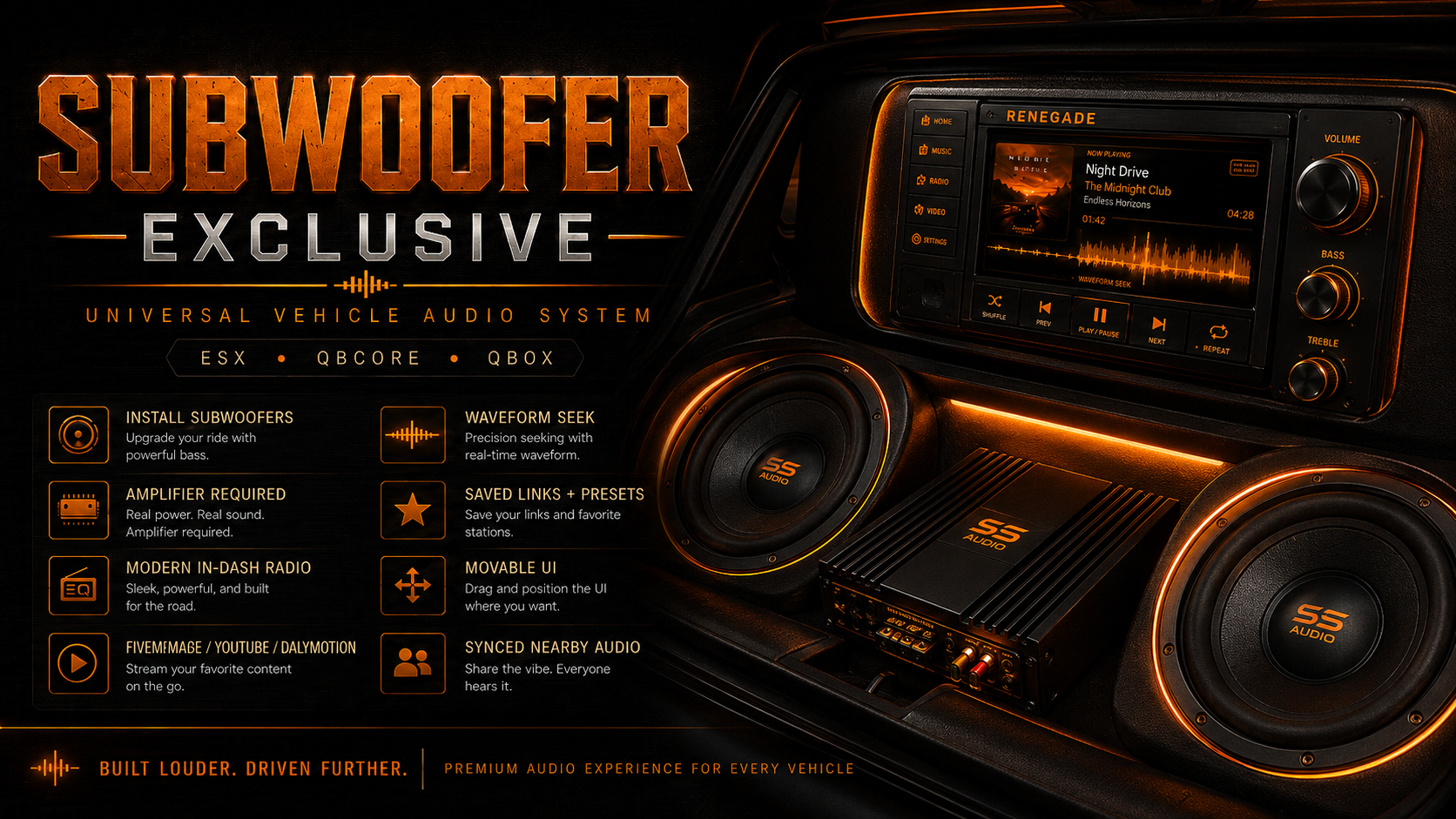
Subwoofer Exclusive is the First Real SUBWOOFER Script in FiveM History for ESX, QBCore, and QBox. Players can install subwoofers, amplifiers, and a modern in-dash radio, stream supported audio links, save favorite songs, use preset playlists, adjust bass and treble with realistic knobs, seek through tracks using the waveform, and share synchronized audio with nearby players.
Here’s a clean feature list for Subwoofer Exclusive:
Subwoofer Exclusive Features:
Universal Framework Support
Works with ESX, QBCore, and QBox with automatic framework detection.
Vehicle Subwoofer Installation
Players can install physical subwoofer props into vehicles for a real custom audio setup (config).
Amplifier Required System
The in-dash radio will not work unless the vehicle has both the subwoofer and amplifier installed.
Modern In-Dash Radio
Adds a custom in-car radio NUI where players can play music, control audio, and manage links.
YouTube & Dailymotion Support
Supports video/music playback from YouTube and Dailymotion links.
Synced Nearby Audio
Nearby players can hear the same music playing from the vehicle, synced to the same playback time.
Outside Audio Toggle
Players can turn outside audio on or off so people outside the car can or cannot hear the music.
Subwoofer Lows Control
Custom bass knob lets players control how hard the subwoofers hit.
Treble Highs Control
Treble knob lets players adjust high frequencies for clearer vocals, hi-hats, and sharp sounds.
Volume Control
Dedicated volume knob controls the full song volume.
Waveform Seek Bar
Players can click or drag the audio waveform to skip to any part of the song.
Saved Personal Links
Players can save their own music links and play them later without pasting the URL again.
Preset Song List
Server owners can add preset songs in the config for everyone to use.
Movable UI
Players can drag the in-dash radio UI anywhere on their screen, and the position saves.
Studio Rack Design
Custom orange/amber Renegade Audio studio rack-style NUI with knobs, VU meters, and waveform display.
Persistent Vehicle Installs
Subwoofers, amps, and radios save to the vehicle plate and stay installed after restarts.
Install & Remove Tools
Supports installing and removing the subwoofer, amplifier, and in-dash radio with items.
Job & License Lock Options
Server owners can restrict installation to certain jobs or allowed license IDs.
Configurable Props & Positions
Props can be adjusted per vehicle model so the subwoofer, amp, and radio sit in the right place.
Modules
Top Customer
Recent Payments
-

ONE-DREAM
-

rolliedabrat
-

Terrence_Cookson
-

iayze1
-

kinglowki