
Recording Studio Scr
114.99USD
Package Description
Watch Tutorial: Video
Installation Video: CLICK HERE
Download FREE Studio MLO: FREE STUDIO MLO
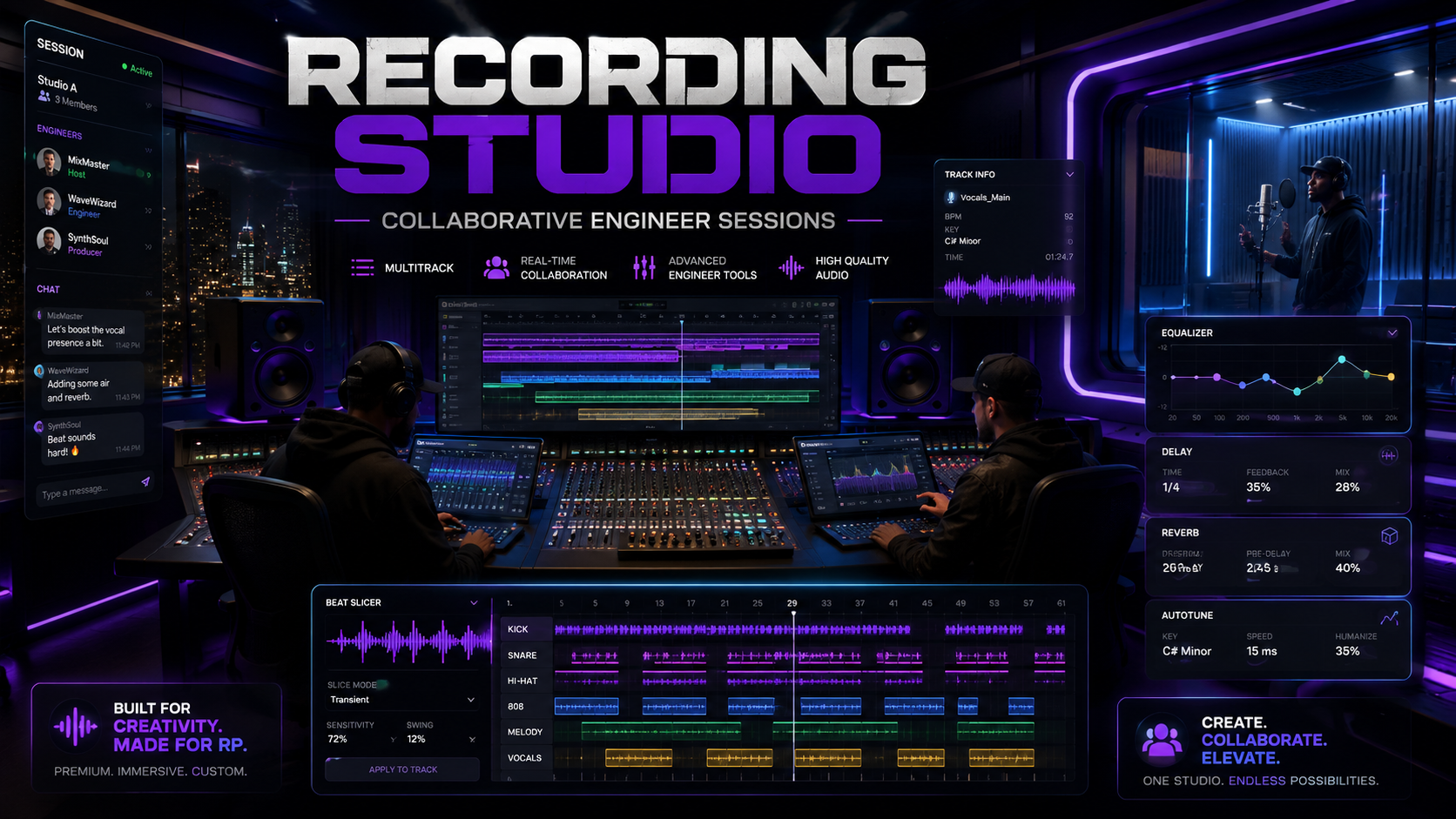
1 of a kind FiveM Recording Studio Script out now. Players can create sessions, upload beats, record vocals and ad-libs, punch in at specific timestamps, and arrange everything inside a professional multitrack Engineer Console. Engineers can collaborate live, slice and move audio clips, apply Auto-Tune, EQ, compression, delay, reverb, pitch effects, and render a finished master. Completed songs can then be delivered directly through Discord as downloadable audio files.
Features:
-
Create Studio Sessions — Start a new recording project with the artist name, song title, beat, and session details.
-
Engineer Collaboration — Invite another engineer into the same session so both engineers can edit and mix together.
-
Live Arrangement Sync — Clip movement, slicing, trimming, effects, and mixer changes automatically update for connected engineers.
-
Artist Vocal Recorder — Artists can record main vocals and ad-libs through a secure browser recording page.
-
Punch-In Recording — Start recording at a specific part of the beat, pause, preview the section, and continue recording.
-
Beat Uploading — Upload licensed MP3 or WAV beat files directly into the studio session.
-
Multitrack Timeline — View the beat and every vocal take as separate waveform tracks in a professional timeline.
-
Move Audio Clips — Drag beat and vocal clips forward, backward, or onto different vocal channels.
-
Beat Chopping — Slice the beat into separate sections, trim pieces, move them, or remove unwanted parts.
-
Vocal Slicing — Cut vocal waveforms into individual pieces for detailed editing and arrangement.
-
Trim Waveforms — Remove empty space, breathing, noise, or unwanted audio from the beginning and end of clips.
-
Copy and Paste Clips — Duplicate the same vocal clip and place it at multiple locations throughout the song.
-
Undo and Redo — Reverse or restore clip edits, slices, movement, effects, and mixer adjustments.
-
Mute and Solo — Individually mute or solo the beat and every vocal channel.
-
Per-Track Volume — Adjust the loudness of every vocal and ad-lib channel separately.
-
10-Band Graphic EQ — Shape each vocal using vertical studio faders from 60 Hz through 16 kHz.
-
Vocal Clarity — Add more brightness, presence, and definition to individual vocal channels.
-
Compression — Control loud and quiet vocal sections for a more balanced studio sound.
-
Studio Reverb — Choose Live Room, Vocal Plate, or Grand Lush Hall with independent Dry and Wet controls.
-
Precision Delay — Add timed echoes with adjustable delay time, feedback, tone, and mix level.
-
Vocal Doubler — Create a wider layered vocal sound from a single recording.
-
Vocal Style Effects — Apply Radio, Telephone, Megaphone, or Clean vocal processing.
-
Auto-Tune — Tune vocals using selectable keys, scales, correction amount, speed, humanize, and formant controls.
-
Pitch Bender — Shift vocals lower for a deep voice or higher for a high-pitched effect.
-
Global Mixer Controls — Control the beat bus, vocal bus, ad-lib bus, default effects, and master volume.
-
Synchronized Studio Playback — Play the current mix for everyone within the configured studio listening radius.
-
Seekable Playback — Move the playhead to any timestamp and begin playback from that exact section.
-
Persistent Room Playback — Close the Engineer Console and walk around while the studio mix continues playing.
-
Session Management — Browse, reopen, refresh, and permanently delete recording sessions.
-
Track Management — View every uploaded take and remove complete vocal recordings when necessary.
-
Final Master Rendering — Render the beat, arrangement, effects, and vocals into a completed MP3 master.
-
Discord Song Delivery — Automatically send the completed song to a Discord webhook as a downloadable file.
-
Universal Framework Support — Designed for ESX, QB-Core, and Qbox servers.
Modules
Top Customer
Recent Payments
-

ONE-DREAM
-

rolliedabrat
-

Terrence_Cookson
-

iayze1
-

kinglowki