
Houston TV Screenz (
69.99USD
Package Description
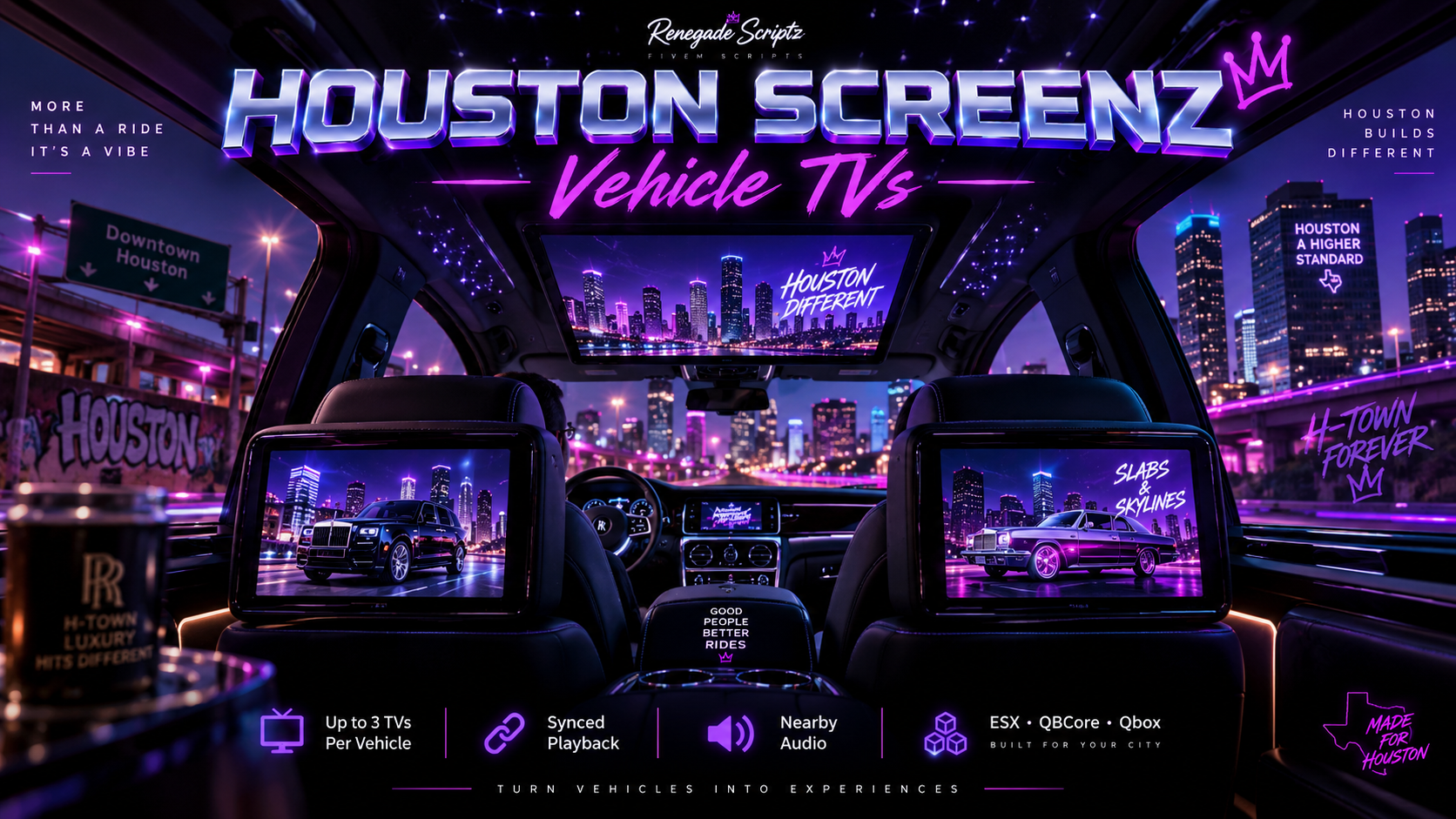
Houston Screenz – Vehicle TVs
Houston Screenz – Vehicle TVs is a universal FiveM vehicle display system for ESX, QBCore, and Qbox that allows approved mechanics to install up to three functional media screens inside supported vehicles.
Each screen can be individually positioned, rotated, configured, and permanently saved to the vehicle. Installed screens can display synchronized authorized or self-hosted media supplied by the server owner through a custom Houston Screenz control interface.
Houston Screenz does not include movies, music, television programming, or other third-party copyrighted media. Server owners are responsible for ensuring they have the appropriate rights or permission for any media they configure for use with the resource.
Houston Screenz Features
- Working Vehicle Display Screens — Adds functional media displays that can be installed inside supported vehicles.
- Authorized Media Playback — Display supported direct media supplied or authorized by the server owner.
- Restricted Media Sources — Designed to support approved/self-hosted media sources rather than unrestricted third-party streaming services.
- Up to 3 Screens Per Vehicle — Install and configure up to three separate screen units inside one vehicle.
- Fully Synchronized Displays — All installed screens within the vehicle can display the same authorized media source at the same playback position.
- Nearby Audio Support — Supported media audio can be heard near the vehicle using distance-based volume.
- Playback Controls — Includes play, pause, stop, and volume controls for supported media.
- Media Seek Control — Move forward or backward through supported media using the integrated seek bar.
- Custom Screen Placement — Move, rotate, tilt, and position each installed screen to match different vehicle interiors.
- Saved by Vehicle Plate — Screen installations and positioning data can be permanently stored in SQL for individual vehicles.
- Mechanic Installation System — Installation, editing, and removal can be restricted to configured jobs or authorized licenses.
- Configurable Installation Locations — Server owners can define installation shops and installation areas.
- Custom Screen Prop Support — Configure supported screen props, display size, rotation, and offsets.
- Protected Installation Mode — Vehicle controls can be restricted while a mechanic is positioning or configuring a screen.
- Server-Owner Media Control — Media sources can be controlled or restricted by the server owner to help prevent unsupported third-party sources from being used.
- Universal Framework Support — Compatible with ESX, QBCore, and Qbox.
- Custom Houston Screenz NUI — Includes a custom purple chrome interface for controlling installed vehicle displays.
Media Usage
Houston Screenz is provided as an in-game media display system only.
The resource does not provide or distribute copyrighted movies, television shows, music, videos, or other third-party media. Media used with the resource should be content that the server owner owns, has permission to use, or is otherwise legally authorized to display.
Unsupported third-party streaming services should not be configured as media sources.
Modules
Top Customer
Recent Payments
-

ONE-DREAM
-

rolliedabrat
-

Terrence_Cookson
-

iayze1
-

kinglowki